
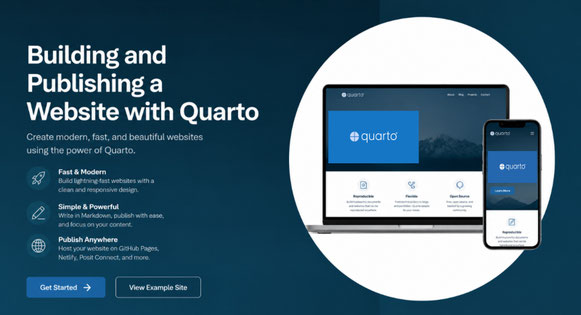
Building and Publishing a Website with Quarto
Dates
29-30 September 2026
To foster international participation, this course will be held online
overview
Quarto is an open-source scientific and technical publishing system that enables users to create reproducible websites, reports, presentations, books, blogs, and manuscripts using plain text files. It is an ideal tool for researchers, educators, students, and data professionals who want to communicate their work in a clear, professional, and reproducible way.
This two-day hands-on course introduces participants to building and publishing a website with Quarto. Throughout the course, participants will learn how to create a website project, organise and structure website content, customise the appearance of their site, add text, images, links, code, citations, and downloadable resources, and publish their completed website online using GitHub Pages.
The course is designed for anyone interested in creating a personal academic website, research project website, teaching website, workshop website, laboratory website, or professional portfolio. By the end of the workshop, participants will have built and published a fully functional Quarto website and gained the knowledge and confidence to maintain, update, and extend it independently.
The course will combine short explanations, live demonstrations, guided hands-on exercises, and troubleshooting. Participants will work on their own websites throughout the course and will be encouraged to adapt the examples to their own research, teaching, or professional context.
Intended audience
This course is suitable for researchers, PhD students, postdoctoral researchers, educators, data analysts, and professionals who would like to build a website for academic, scientific, teaching,
or professional communication.
No prior experience with Quarto is required. Some familiarity with RStudio and basic Markdown will be helpful, but the workshop will be introductory and practical.
Learning Outcomes
By the end of the course, participants will have:
• Created a Quarto website project.
• Built a multi-page website.
• Added text, images, links, and other website content.
• Customised the website structure and appearance.
• Rendered the website locally.
• Created or connected a GitHub repository.
• Published the website online using GitHub Pages, or identified the remaining steps required to do so.
• Gained confidence to update and maintain the website independently.
Program
Day 1 — Creating and Customising a Quarto Website
Session 1: Introduction to Quarto Websites
Learn how Quarto websites are structured and how to create a new website project.
Topics
- Introduction to Quarto and its uses
- Creating a Quarto website project
- Understanding the project structure
-
Working with
.qmdfiles and_quarto.yml
Practical Exercise
Create a Quarto website project and explore its core files.
Session 2: Writing Content with Quarto Markdown
Learn how to create and organise website content using Quarto Markdown.
Topics
- Writing and formatting text
- Adding links, images, and code
- Creating and linking website pages
- Structuring content for research, teaching, and professional websites
Practical Exercise
Create a homepage and additional pages, such as About, Research, Teaching, Publications, Projects, or Contact.
Session 3: Customising the Website
Learn how to personalise the structure and appearance of a Quarto website.
Topics
- Customising navigation and menus
- Setting titles and themes
- Adding footers and external links
- Introduction to YAML settings and CSS customisation
Practical Exercise
Customise the website layout, navigation, theme, and basic styling.
Session 4: Previewing, Rendering, and Troubleshooting
Learn how to test and fix common website issues before publishing.
Topics
- Previewing and rendering websites
- Understanding output folders
- Fixing file path and image issues
- Troubleshooting YAML and rendering errors
Practical Exercise
Render the website locally and resolve common problems.
Day 2 — Expanding and Publishing a Quarto Website
Session 1: Adding Research and Teaching Content
Learn how to build a richer academic or professional website.
Topics
- Adding publications, PDFs, and CV pages
- Creating project and teaching pages
- Adding citations and bibliographies
- Using callout boxes and page layouts
- Best practices for academic websites
Practical Exercise
Add research, teaching, CV, publication, or project content.
Session 2: Introduction to Git and GitHub
Learn the basics of version control and managing a Quarto website project.
Topics
- Git and GitHub fundamentals
- Repositories, commits, pushes, and pulls
- Connecting a Quarto project to GitHub
- Essential GitHub terminology
Practical Exercise
Create or connect a GitHub repository for the website.
Session 3: Publishing with GitHub Pages
Learn how to publish a Quarto website online.
Topics
- Understanding GitHub Pages
- Configuring Quarto for web publishing
-
Using
docs/and_site/ - Managing published websites and updates
Practical Exercise
Publish the Quarto website using GitHub Pages and verify the live site.
Session 4: Refinement and Next Steps
Learn how to maintain and further develop a published website.
Topics
- Updating published content
- Managing changes and re-publishing
- Fixing broken links and missing files
- Maintaining repositories
- Exploring future customisation options and Quarto resources
Practical Exercise
Make final improvements, publish updates, and confirm the live website.
Instructor
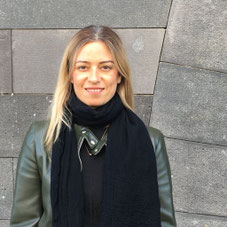
Dr Natalie Karavarsamis (University of Melbourne, Australia)
Dr. Karavarsamis is a statistician and data scientist with over 25 years of
experience across academic research, teaching, government, consulting, and applied scientific collaboration.
COst overview
Cancellation Policy:
> 30 days before the start date = 30% cancellation fee
< 30 days before the start date= No Refund.
Physalia-courses cannot be held responsible for any travel fees, accommodation or other expenses incurred to you as a result of the cancellation.